Choosing Your Plan
Pick a plan and seat count the first time you sign in.
Step 1. The first time you sign in, OutputWork asks you to choose a plan before your workspace opens. You are shown every plan with what it includes.
The bar at the top shows which organization you are setting up. Your profile picture on the right opens a menu, so you can sign out and come back to this later.
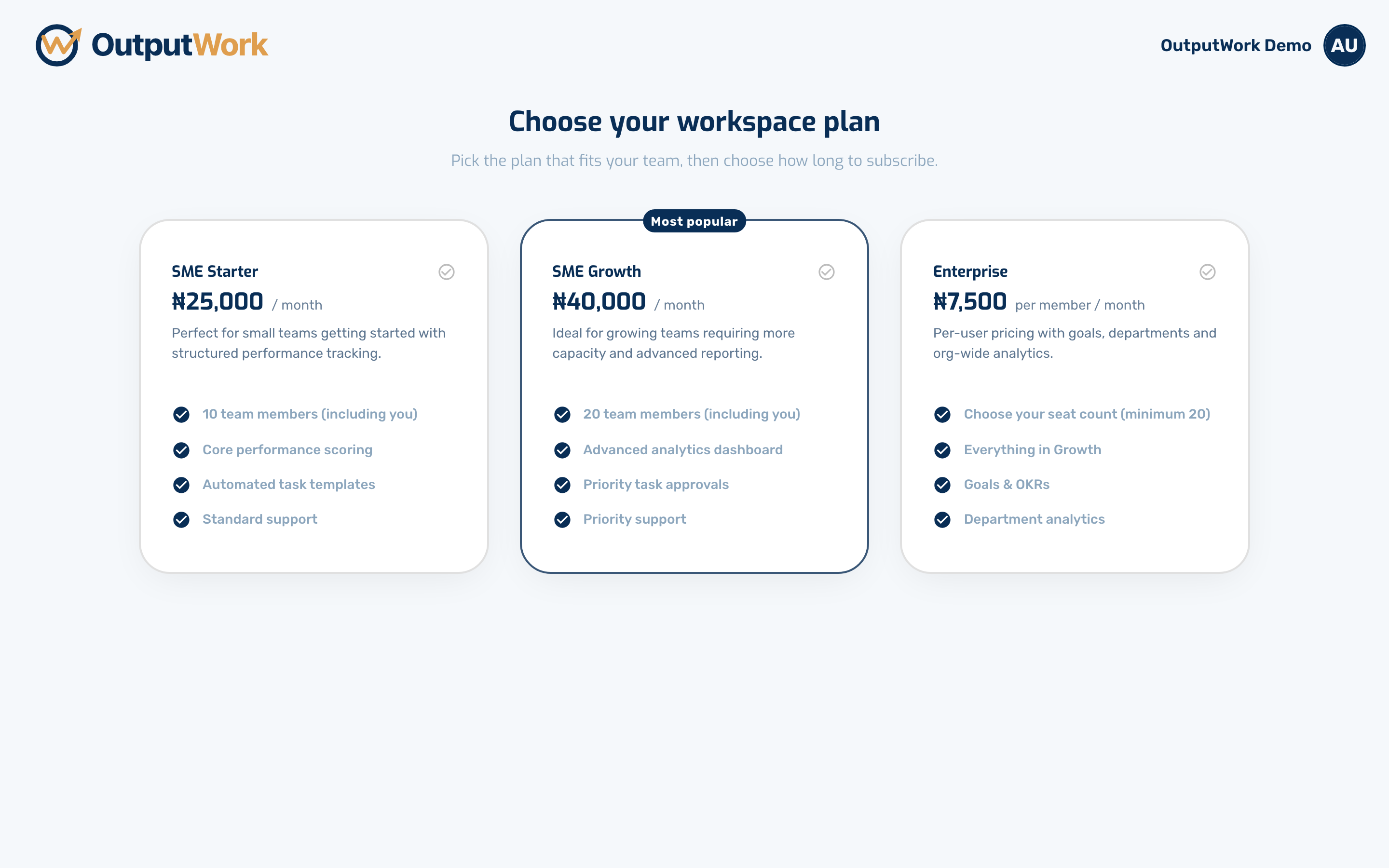
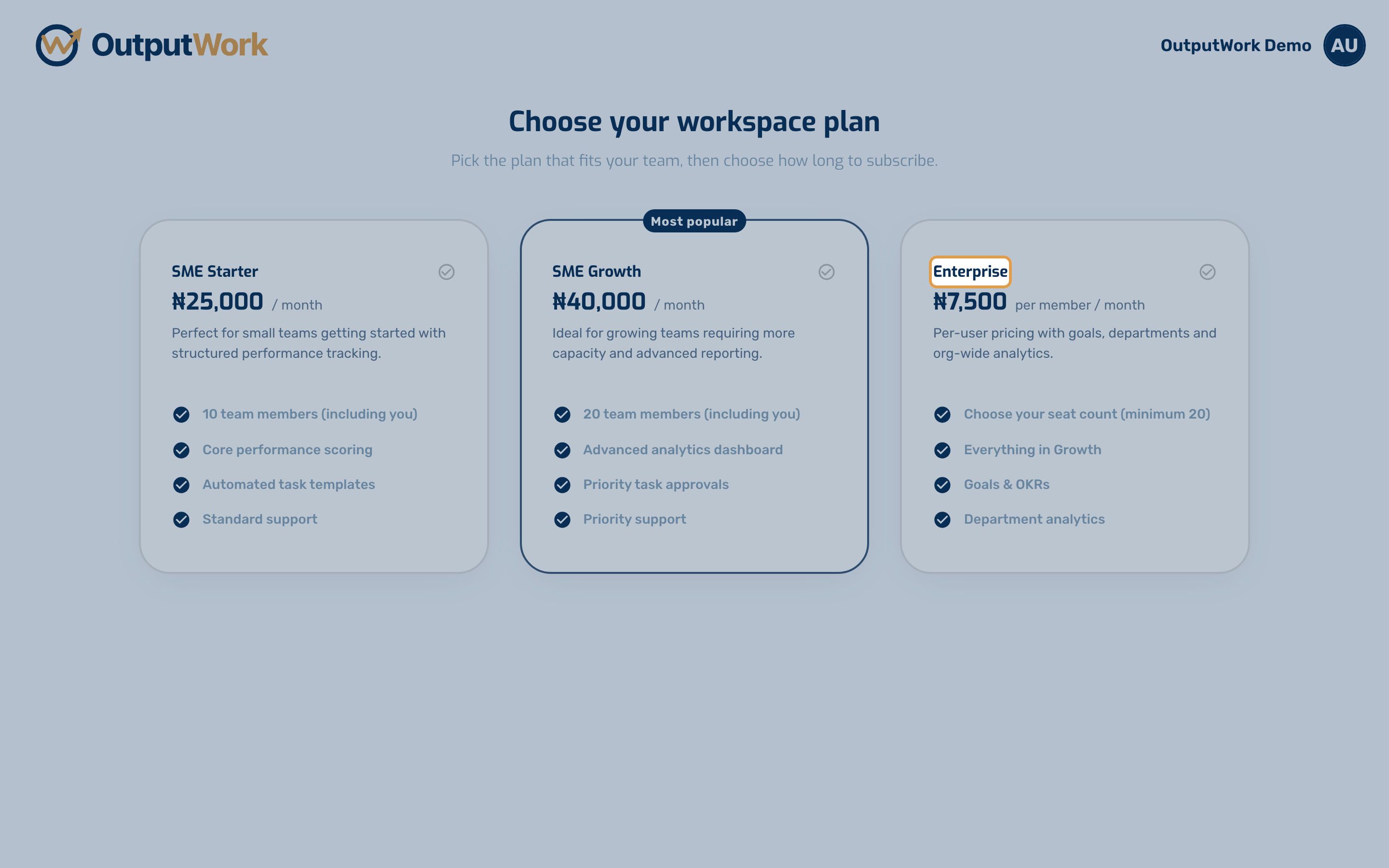
Step 2. The SME plans come with a fixed number of team members. Enterprise is priced per seat, and is the plan that adds Goals alongside tasks, plus department analytics.
Step 3. Selecting a plan opens the next step underneath. On Enterprise you choose how many seats you need — one per person, minimum 20 — and the price updates as you change it.
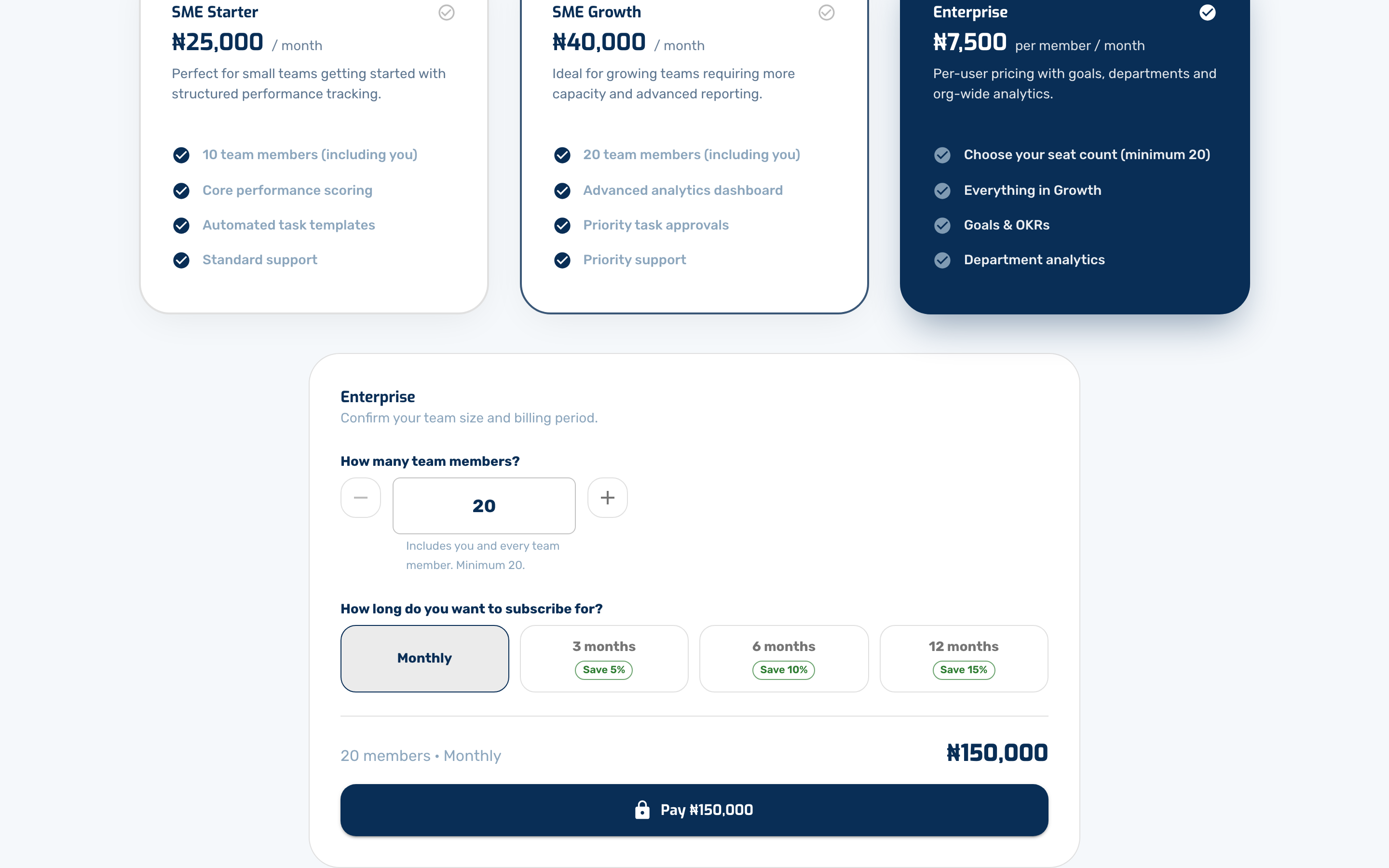
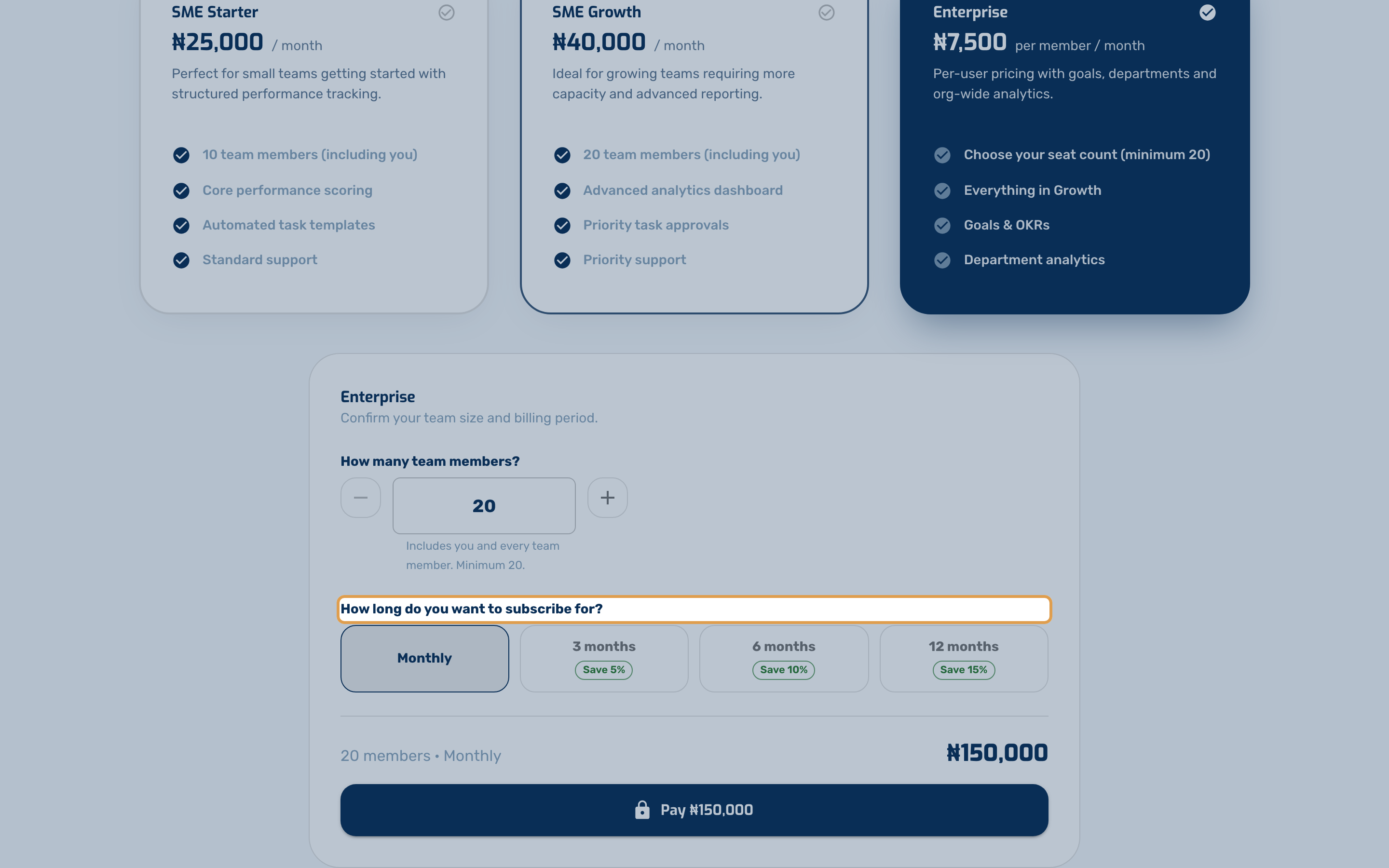
Step 4. You also choose how long to subscribe for. Longer terms are cheaper per month, and the total you will pay is shown before you commit.
Step 5. Pick your plan and, on Enterprise, your seat count — a seat is one person in your workspace. Then pay with Paystack.
After paying, Paystack brings you back to OutputWork, which shows Confirming your payment… while it waits for Paystack's confirmation. That usually takes a few seconds, and your workspace opens by itself. If it takes longer, you are told so — please don't pay again; use Check again a little later.
You can change plan or add seats later from Billing & Plan.