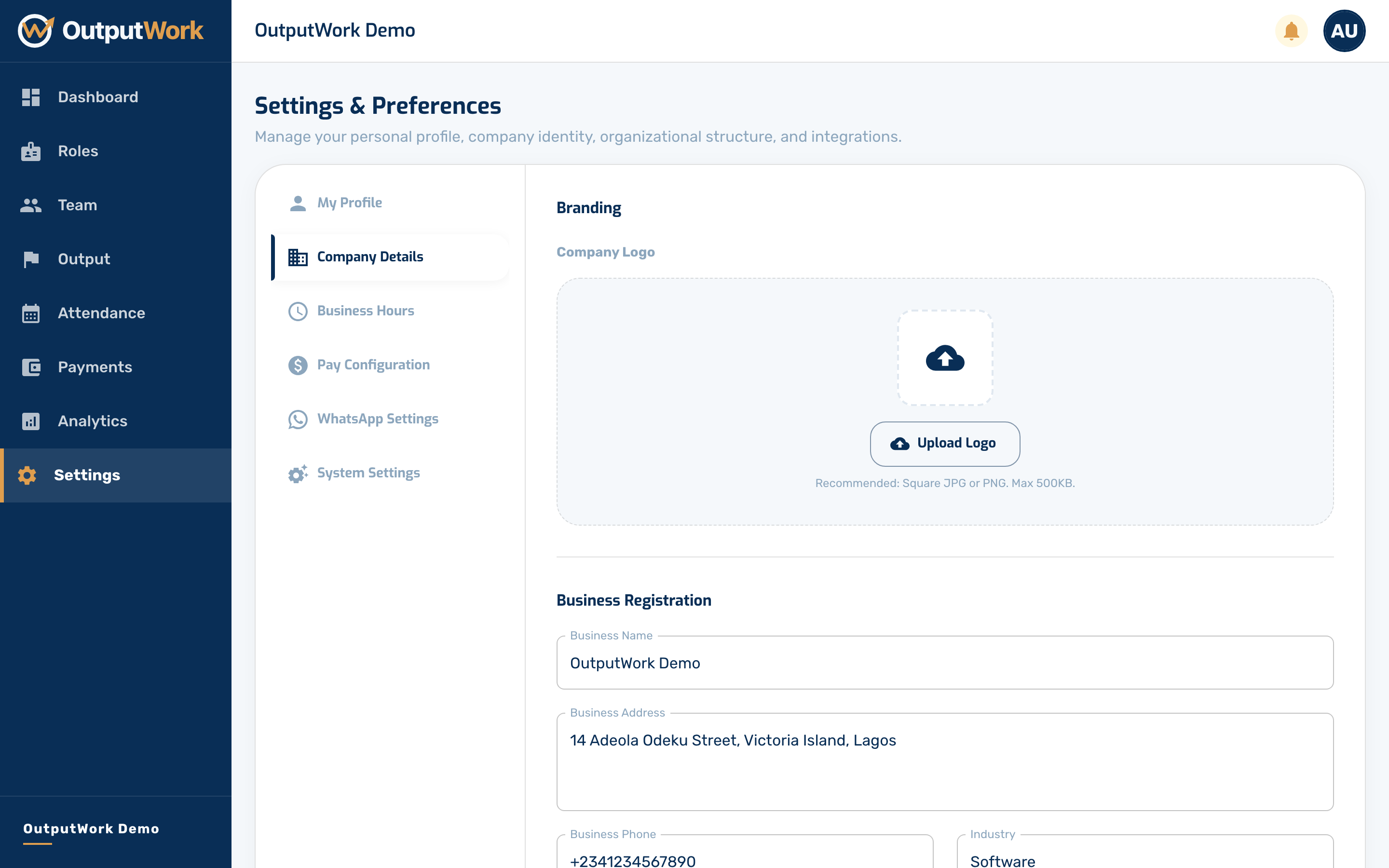
Company Settings
Your company details, business hours, pay configuration and WhatsApp notifications.
Step 1. Open Settings from the sidebar. Each section expands: My Profile, Company Details, Business Hours, Pay Configuration, WhatsApp Settings and System Settings.
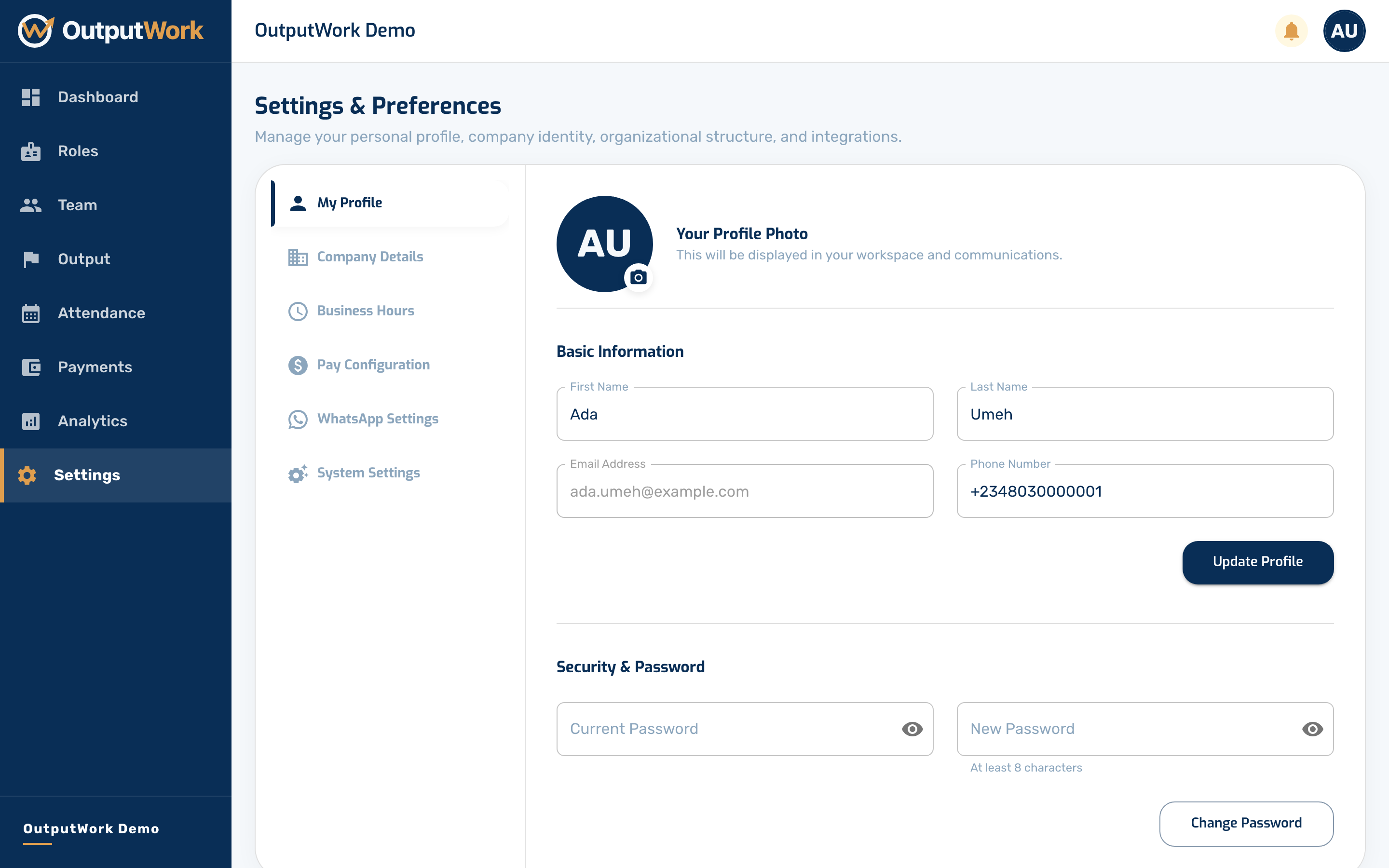
Step 2. Company Details holds your organization's name, address and phone number — the details that appear on payslips and emails.