Creating Your Account
Sign up as an owner and create your organization. Team members do not sign up — they are invited.
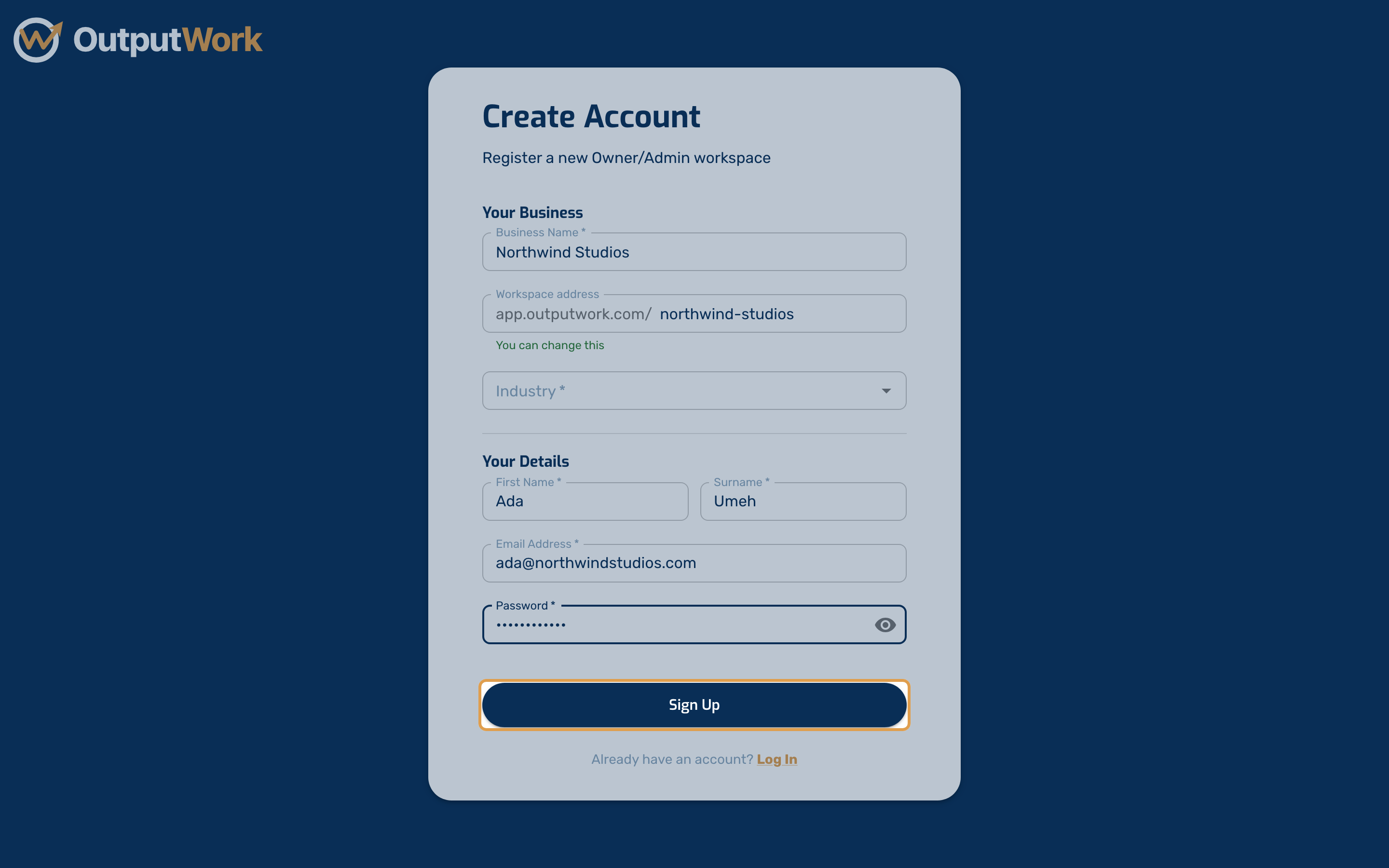
Step 1. Go to the sign-up page. This creates both your own account and your organization, so only the owner does it — everyone else joins by invitation.
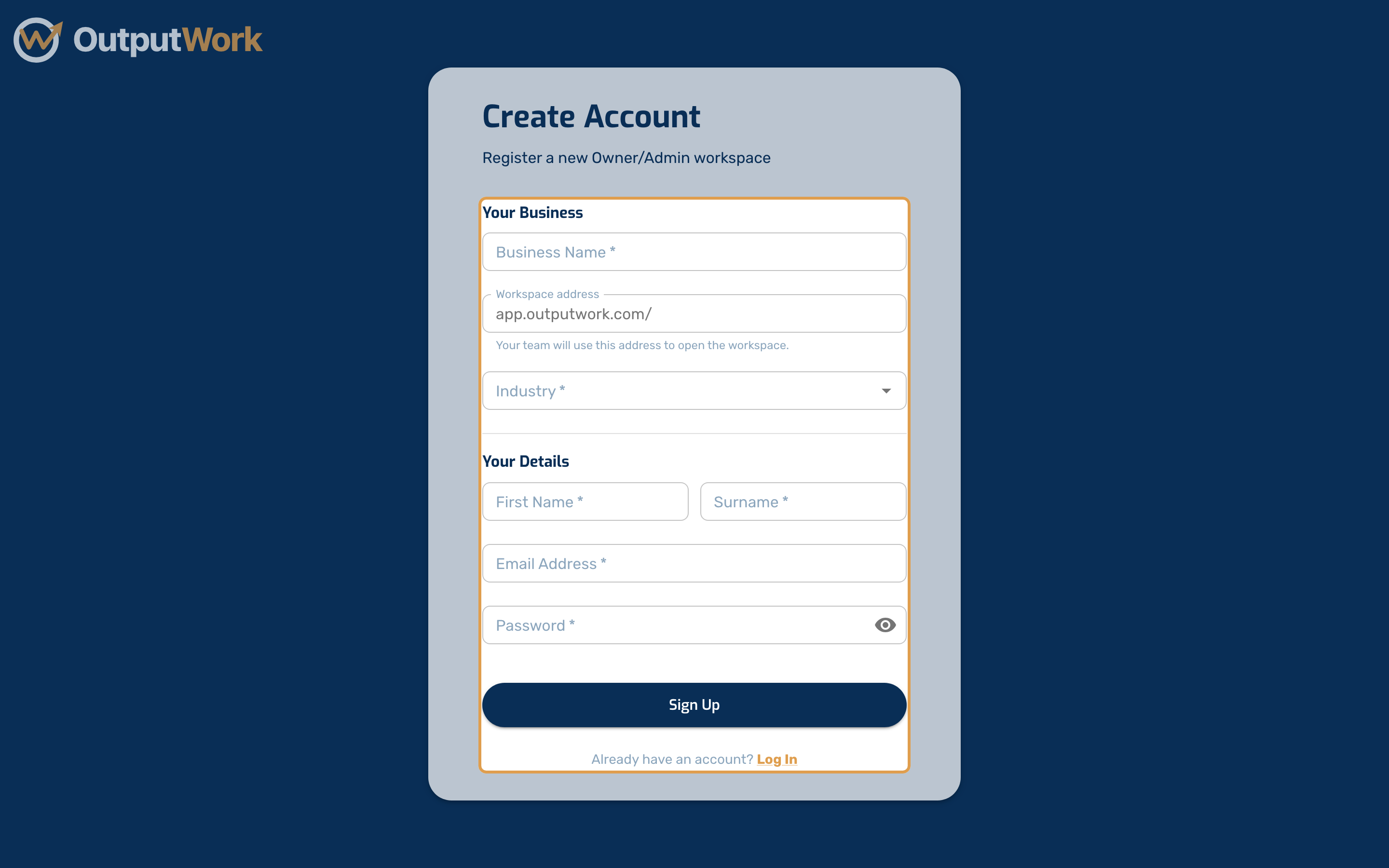
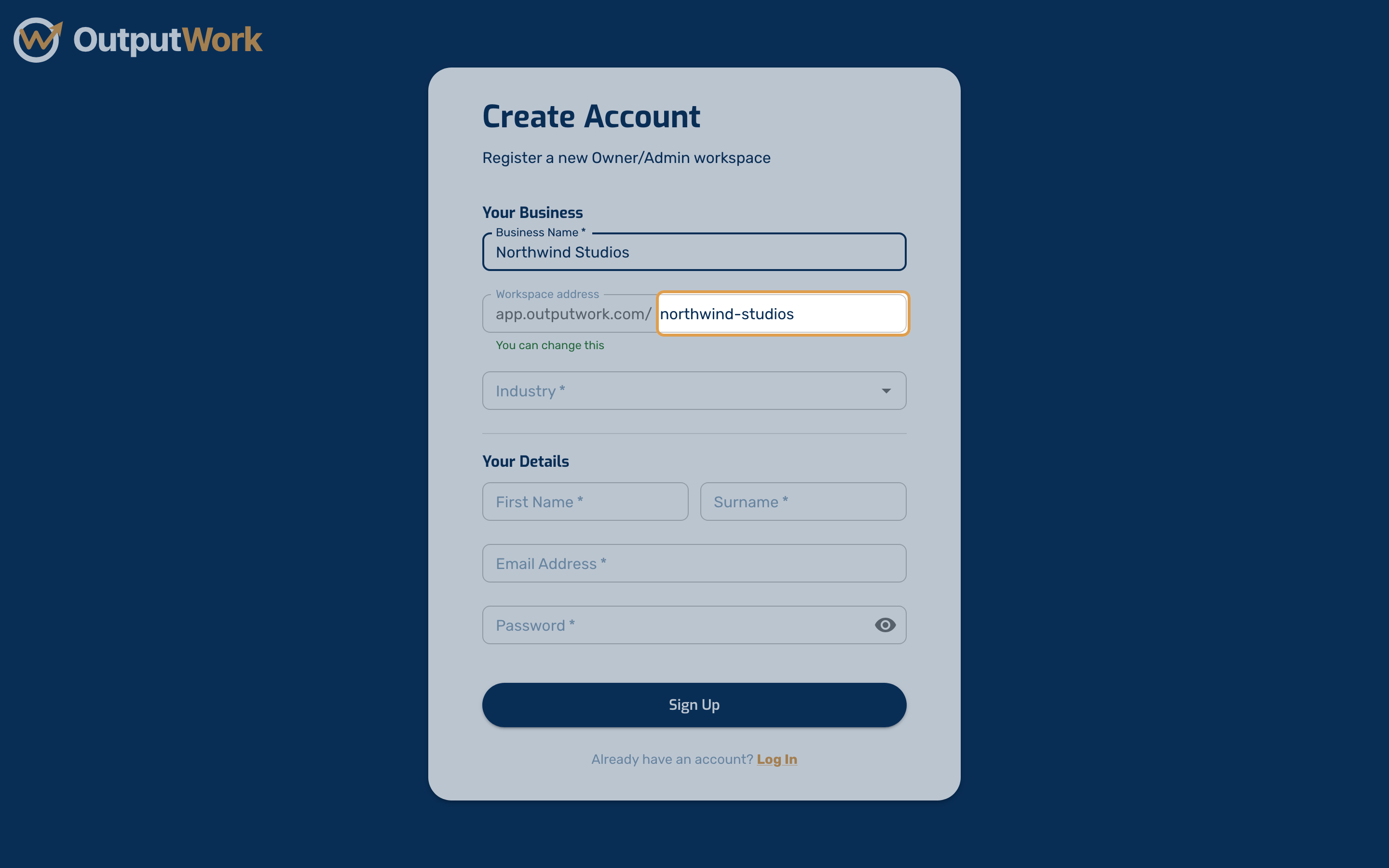
Step 2. Enter your Business Name. This becomes your organization's name inside OutputWork.
As you type, OutputWork suggests a Workspace address from it — the web address your team will use to open your workspace, such as app.outputwork.com/northwind-studios. You can change it: use lowercase letters, numbers and hyphens, and OutputWork tells you straight away whether it is available. It stays the same if you rename your business later, so links to your workspace keep working.
Then pick your Industry. Start typing to find it in the list, or choose Other and type your own.
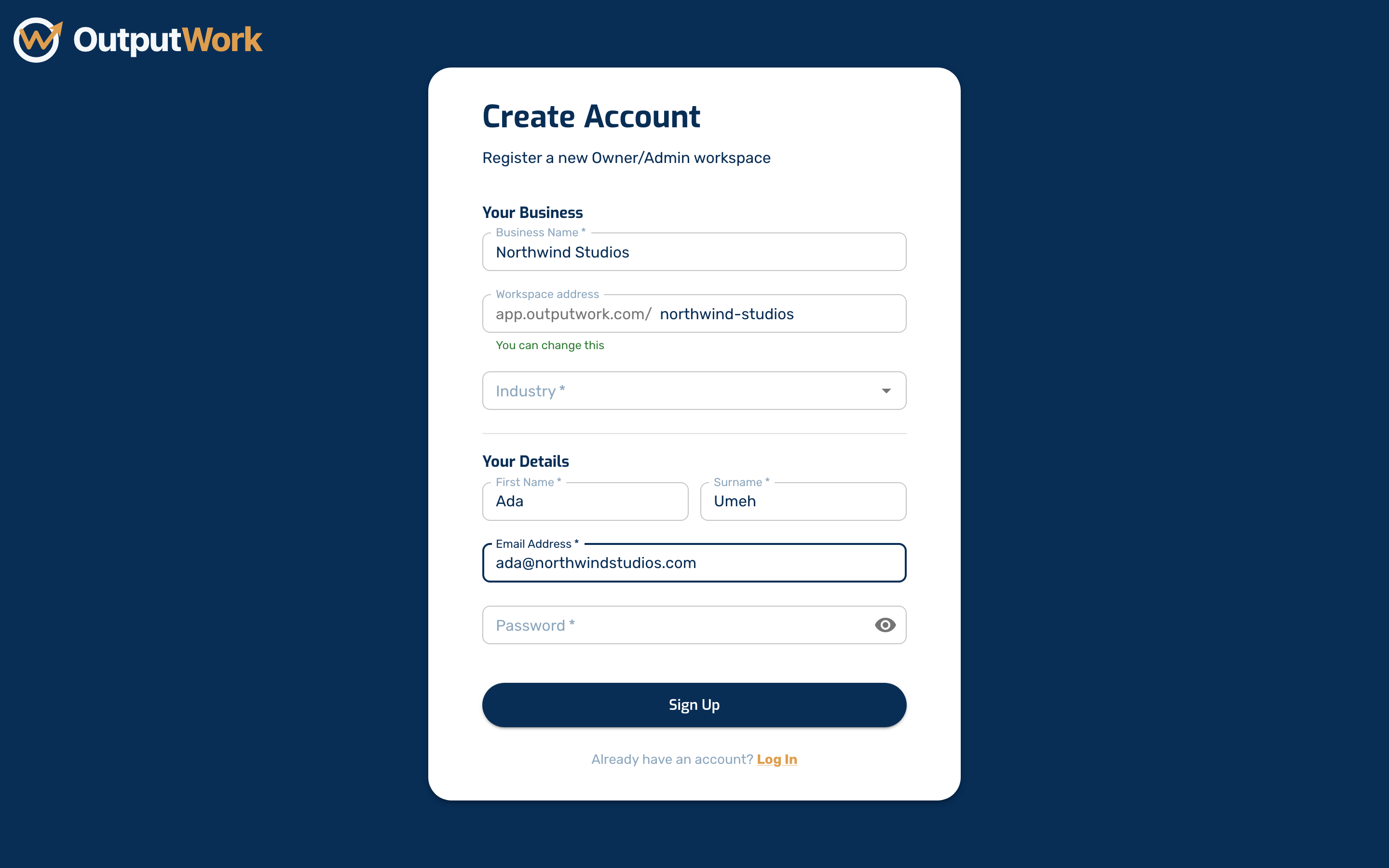
Step 3. Add your own name and email address. This is the address you will sign in with, and where your confirmation email goes.
Step 4. Choose a password, then click Sign Up. Check your inbox for a confirmation email and follow the link to verify your address.