Goals & Performance Targets
For Enterprise plans: create and assign departmental goals, OKRs, and performance metrics.
:::info Enterprise plan
Goals are part of the Enterprise plan. On the SME plans this section is not shown, and your Output page has Tasks and History tabs only.
:::
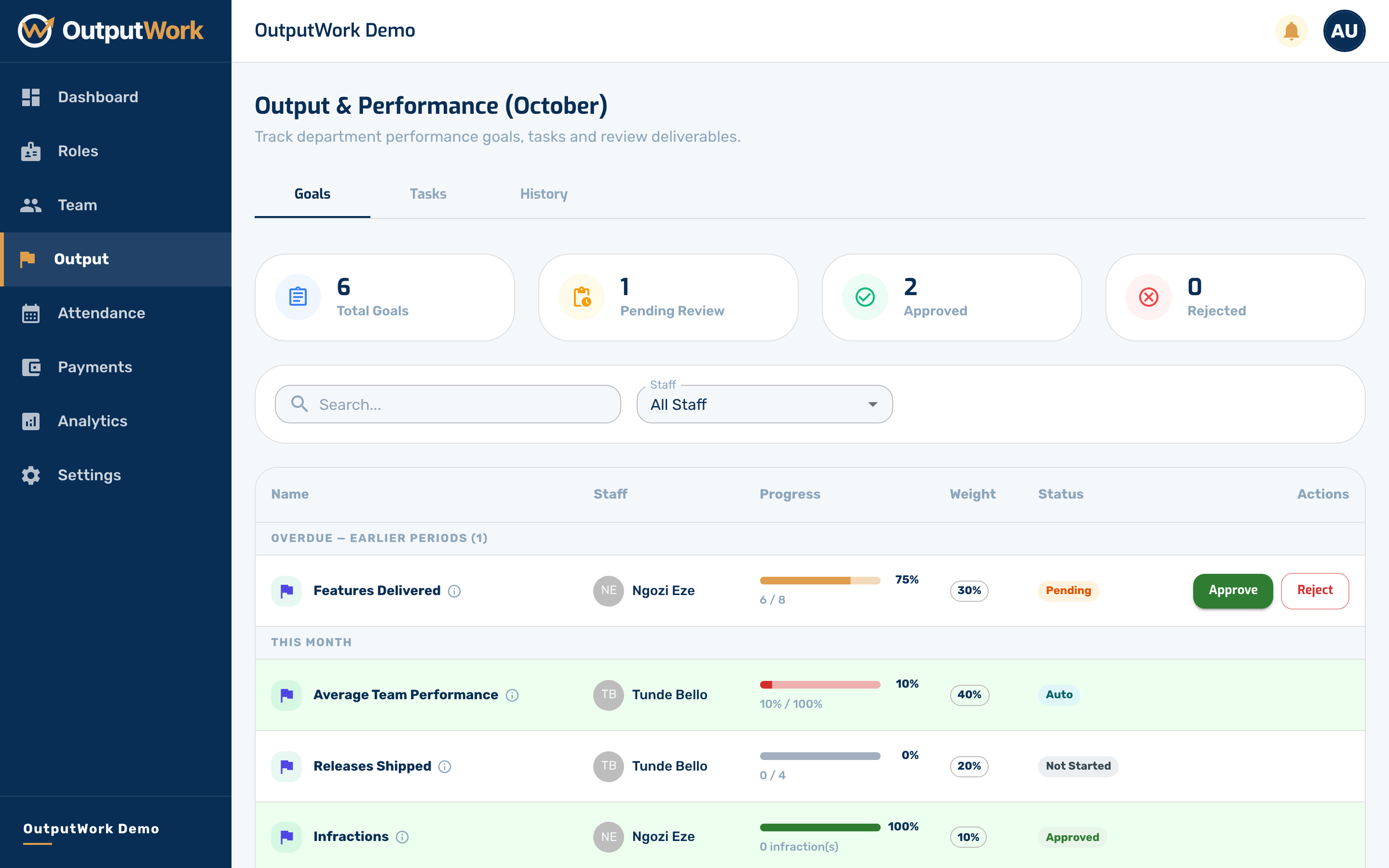
Step 1. On Enterprise plans, the Output page gathers both Tasks and Goals for review. Open Output from the sidebar to inspect organization performance.
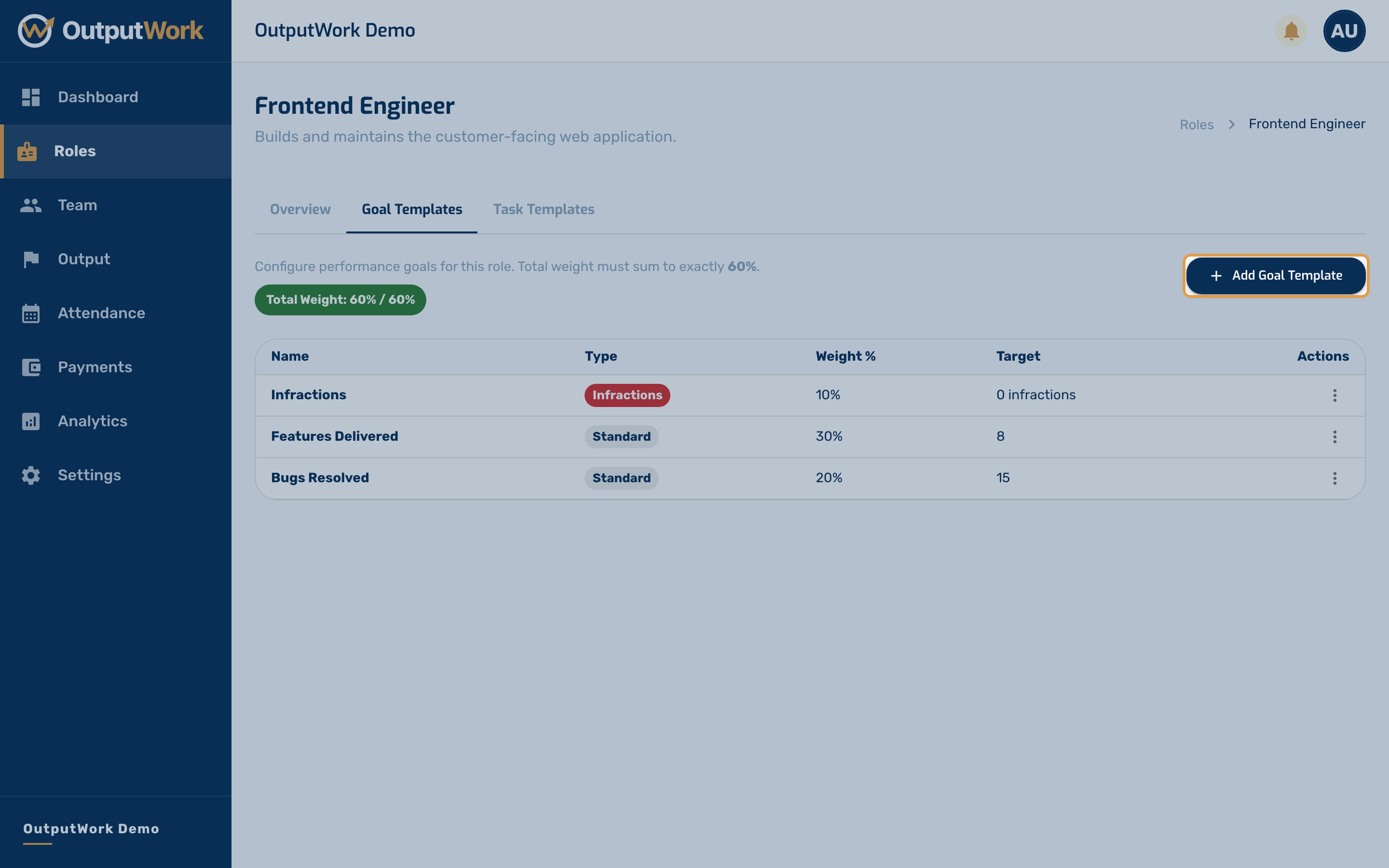
Step 2. Goals are attached to roles through Goal Templates. In Roles, open any role and click Goal Templates to define quantitative targets (such as customer response times, revenue targets, or delivery metrics).
Each goal template carries a target value, a timeline (monthly or quarterly), and a weight towards the person's performance score.
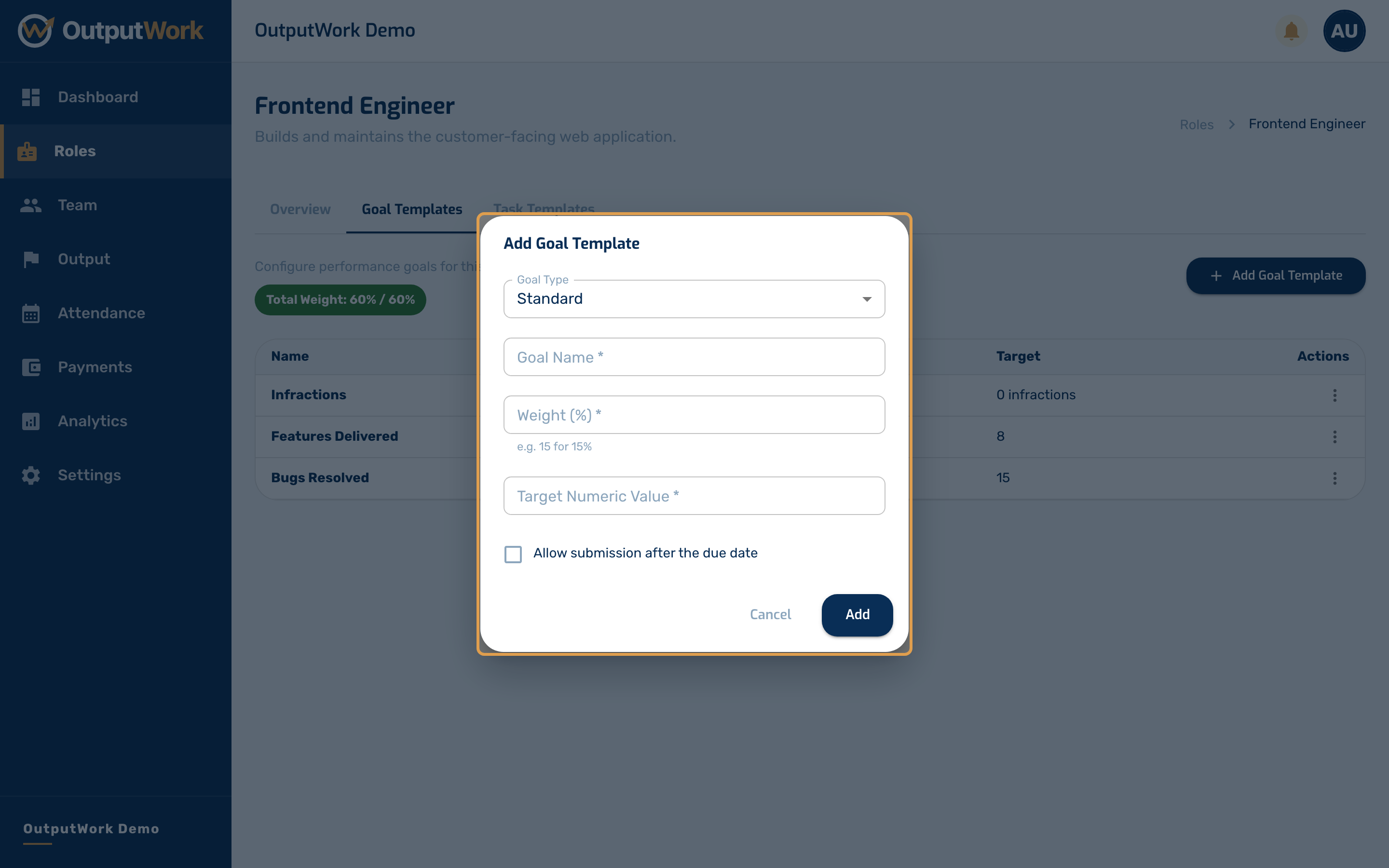
Step 3. Fill in the goal details:
- Goal Title & Description: State the objective and measurable target
- Target Value & Unit: Specify the target number to reach
- Weight (%): Set its relative weight in the overall performance score
- Timeline: Monthly or quarterly recurring cycle
Click Save. Team members in this role will receive this goal on their dashboard at the start of each period.