Managing Roles & Team Members
Promote staff, reassign departments, or deactivate members when they leave.
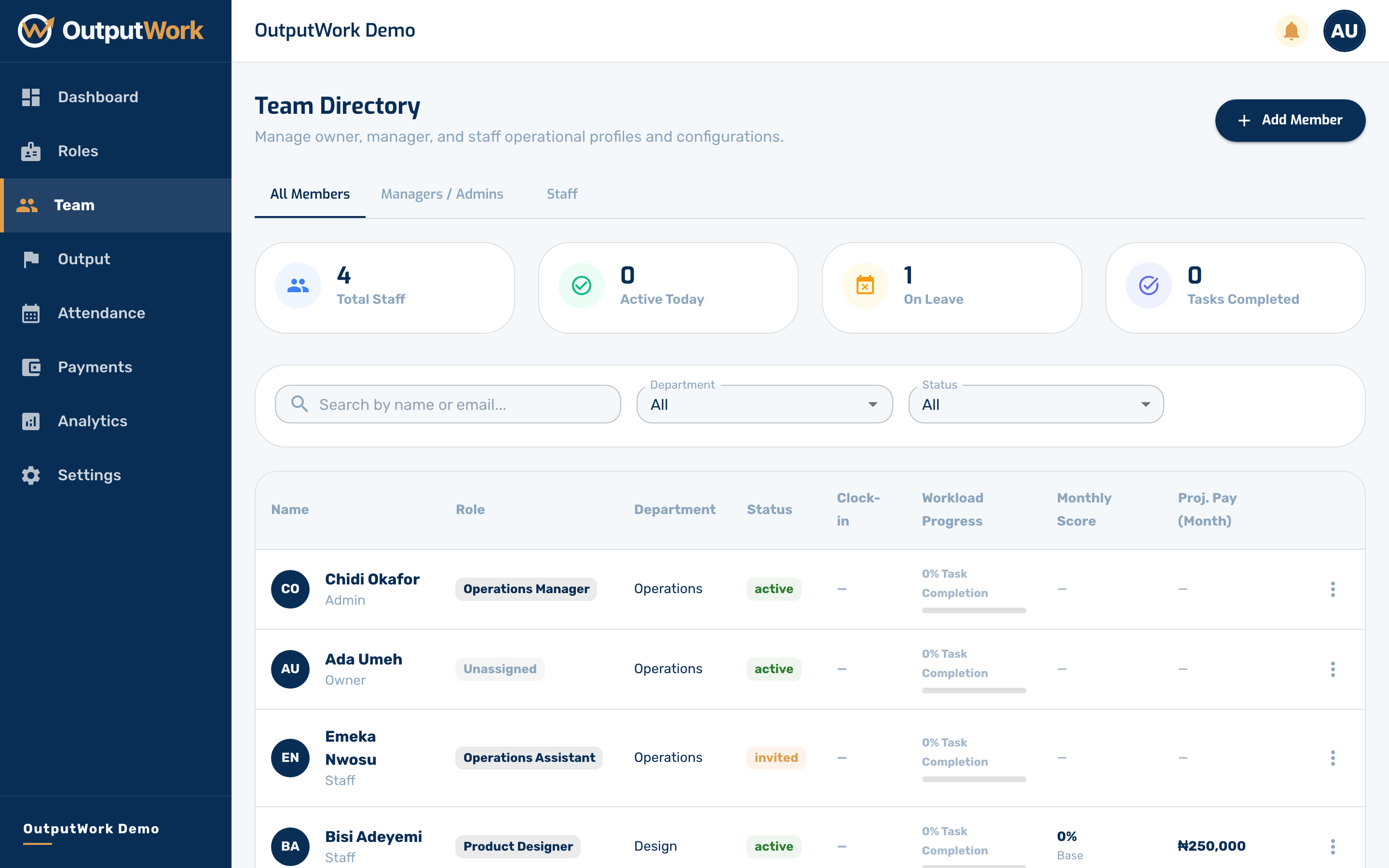
Step 1. Go to Team to see all current and invited staff members in your organization.
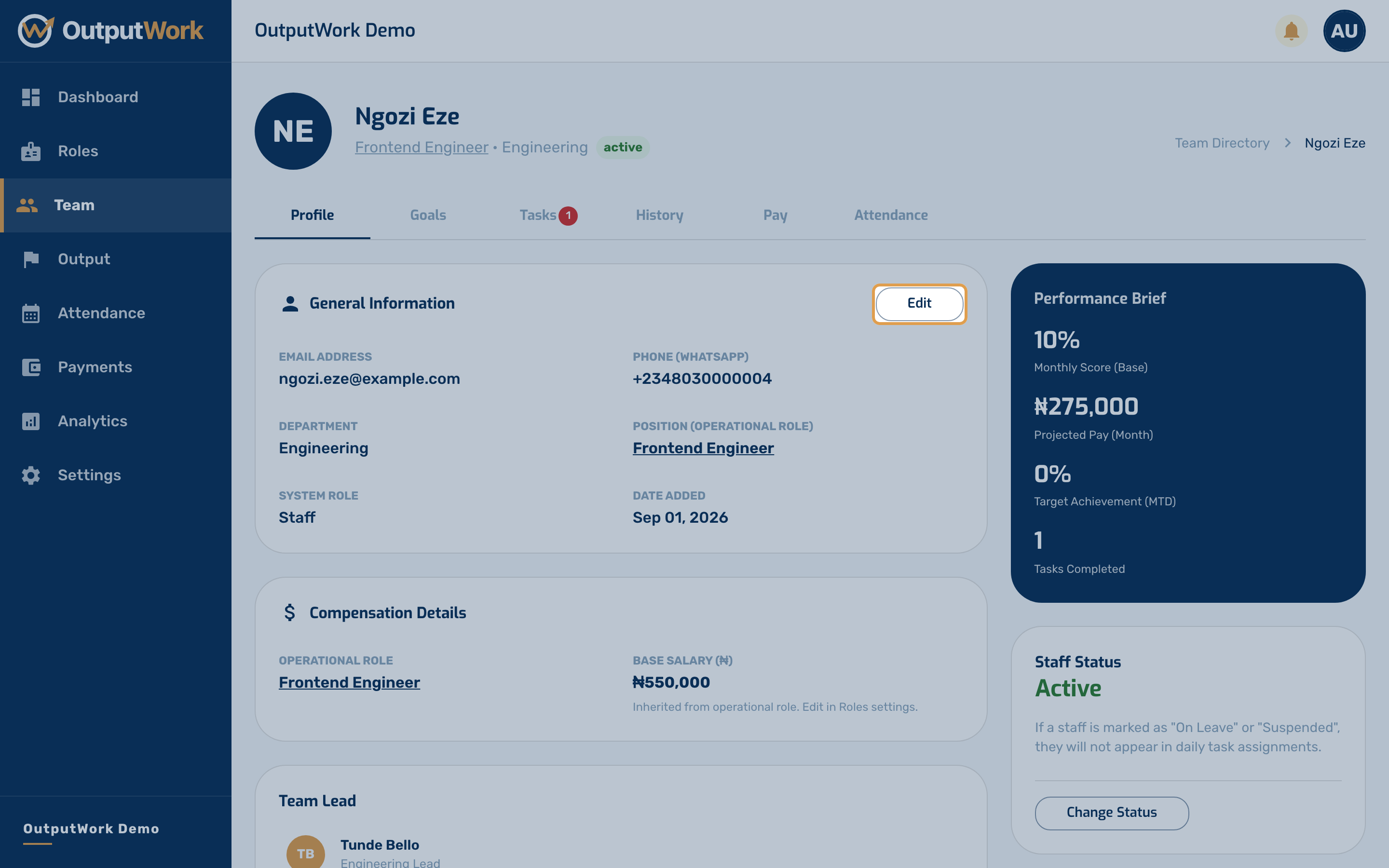
Step 2. Click Edit on any member's profile to adjust their role and permissions:
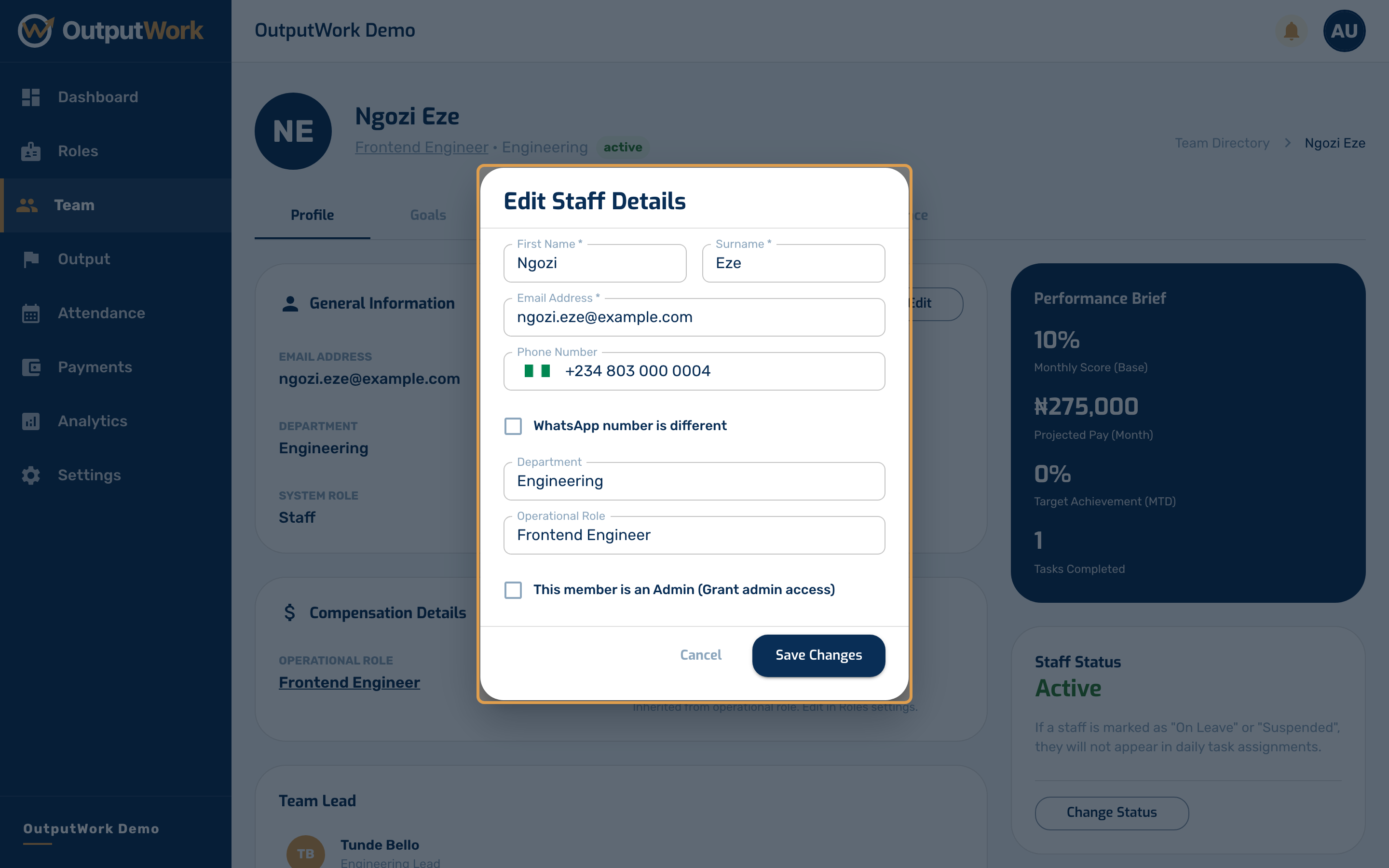
- Role Assignment: Changing their Operational Role reassigns their templates and salary grade immediately
- Admin Access: Grant or revoke full organization admin capabilities
- Department & Details: Move the member to a different department or update contact details
Step 3. The edit modal lets you change their operational role, toggle admin privileges, or adjust their employment status (Active, On Leave, Suspended, or Terminated). Click Save Changes to confirm.