Looking at One Person
Open a team member to see their work, attendance and pay in one place.
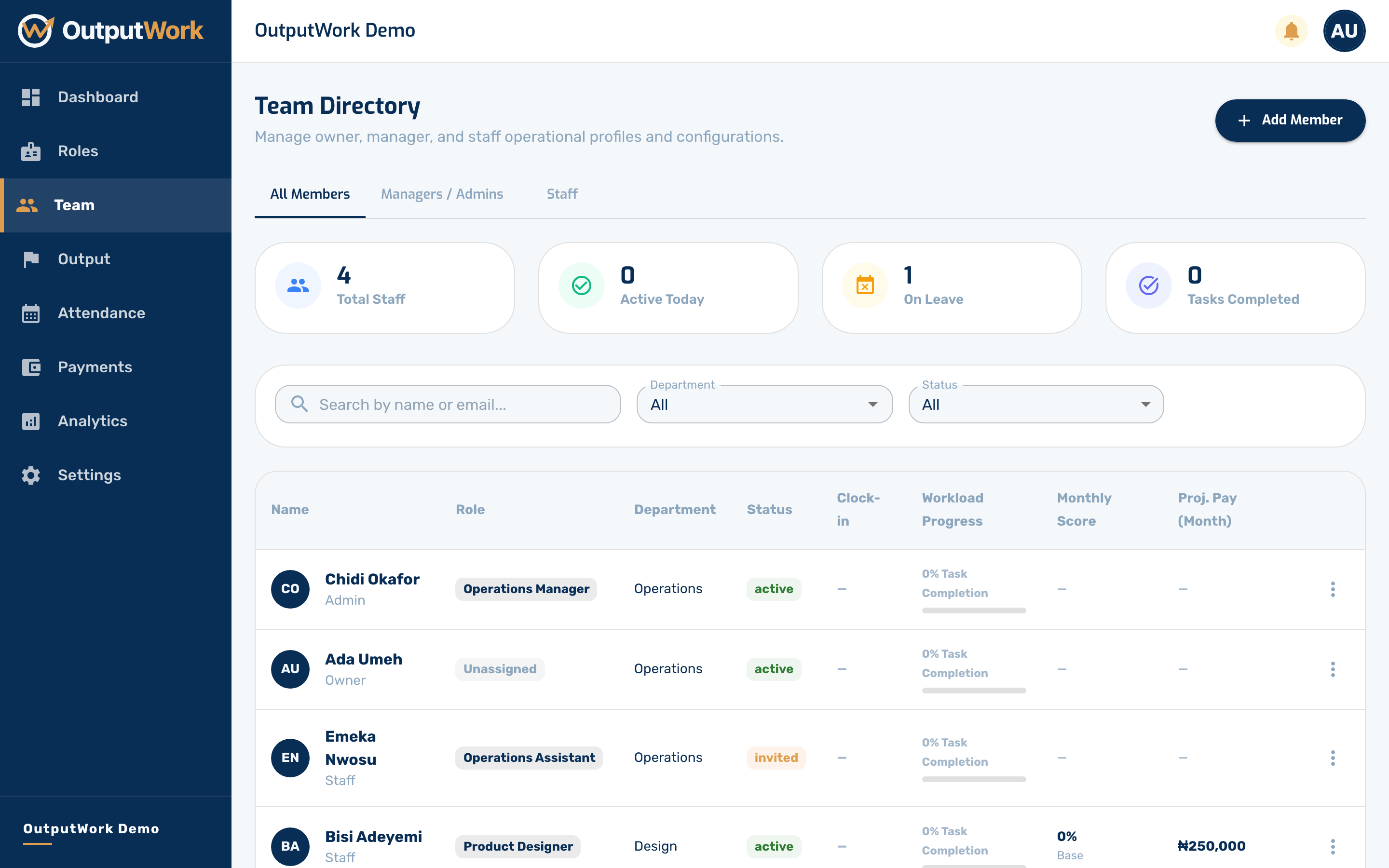
Step 1. From Team, click anyone's row to open their profile.
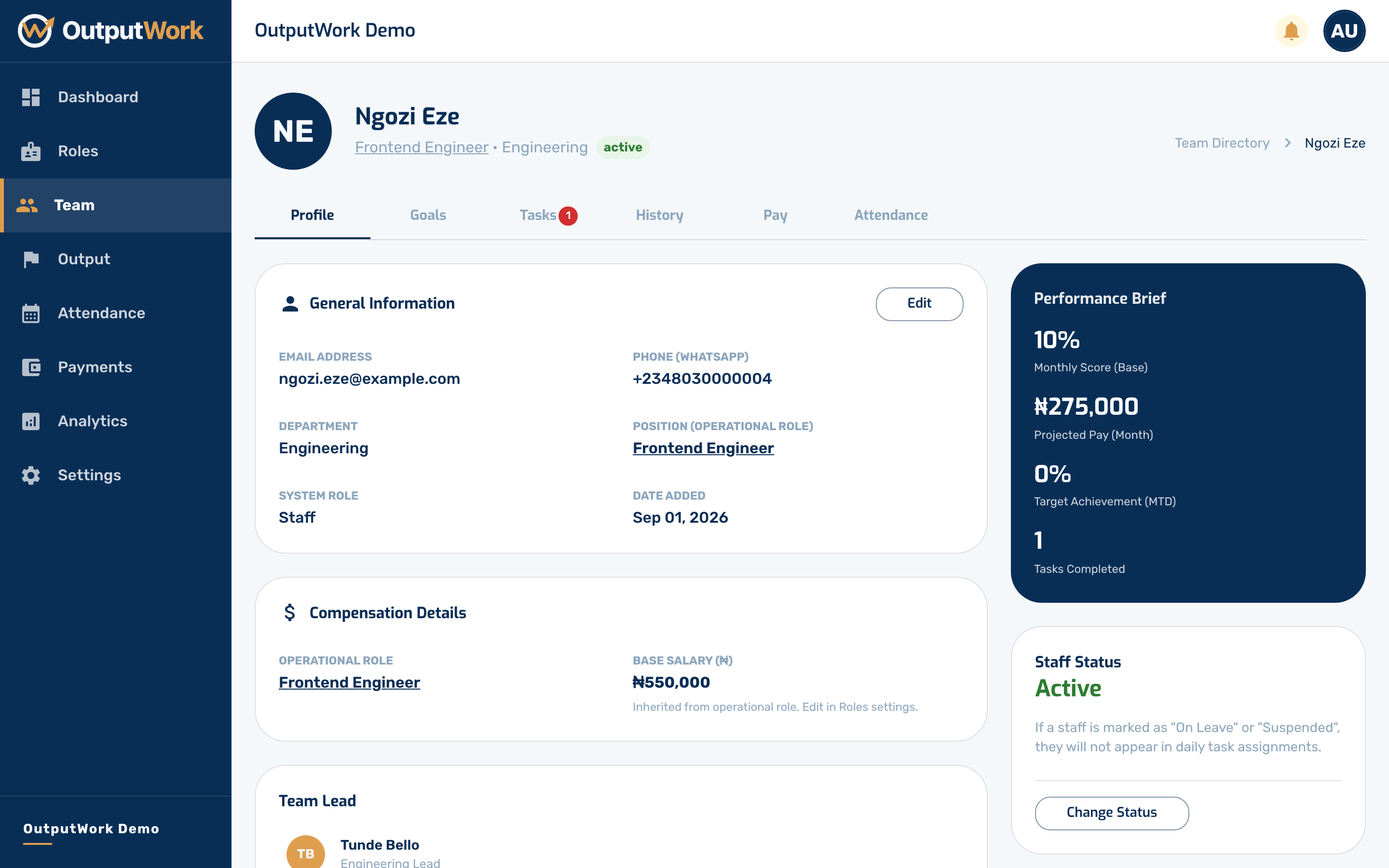
Step 2. Their page gathers everything about one person in one place: their role and department, the tasks and goals they are working on, their attendance record, and their pay.
It is also where you change things about them. Edit updates their details or moves them to a different Operational Role — and changing role takes effect immediately, generating the new role's tasks and goals for them straight away. You can also change their status here: On Leave, Suspended or Terminated, which stops work being generated for them without deleting their history.
Changing their Email Address changes the address your organization has for them. Once they have signed in, it doesn't change the address they sign in with: only they can change that.