Exporting Payroll & Analytics Reports
Download CSV, Excel, and PDF reports for bank disbursements and executive reviews.
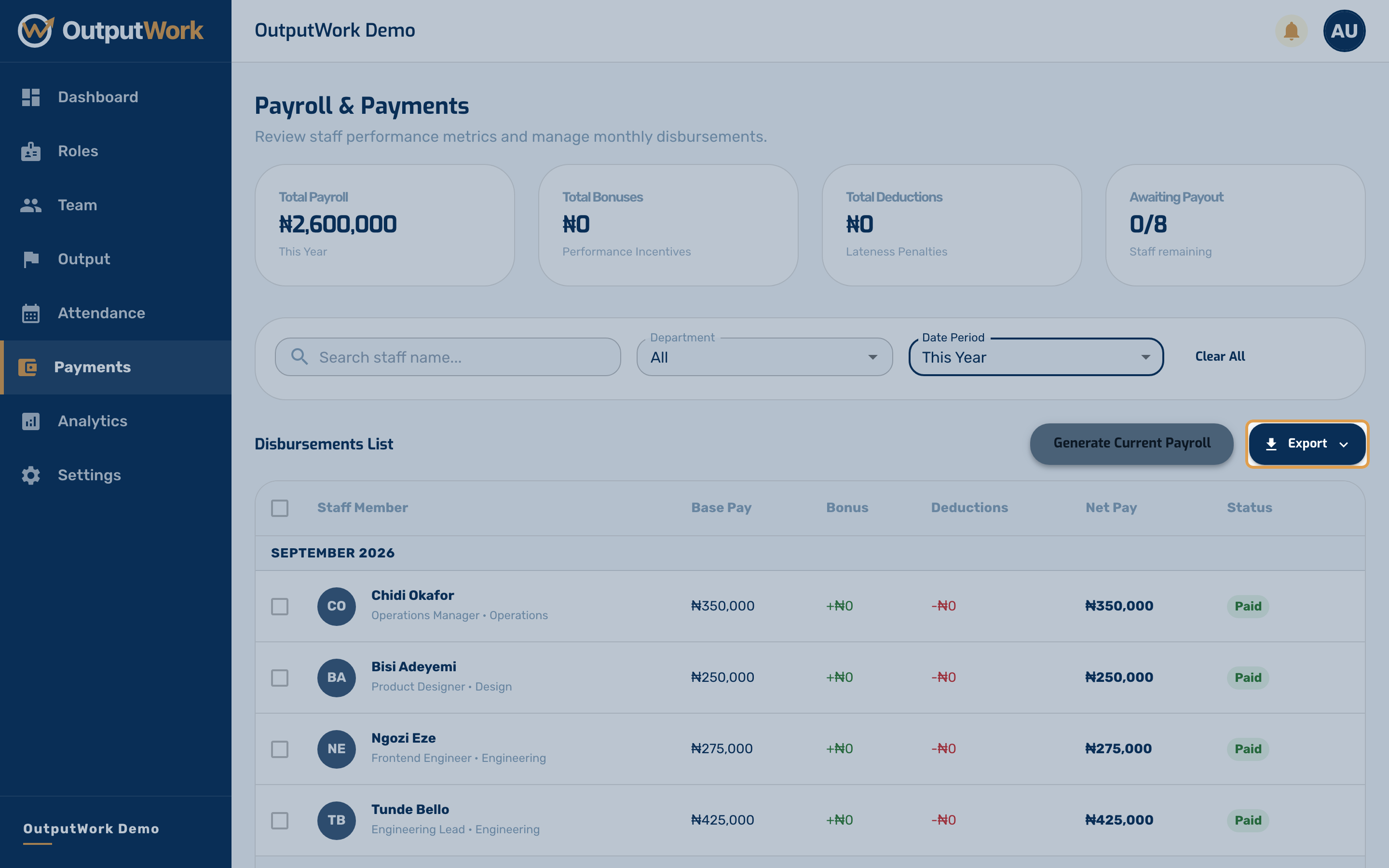
Step 1. Go to Payments and filter the table by your desired month or payment status. Click the Export menu above the table.
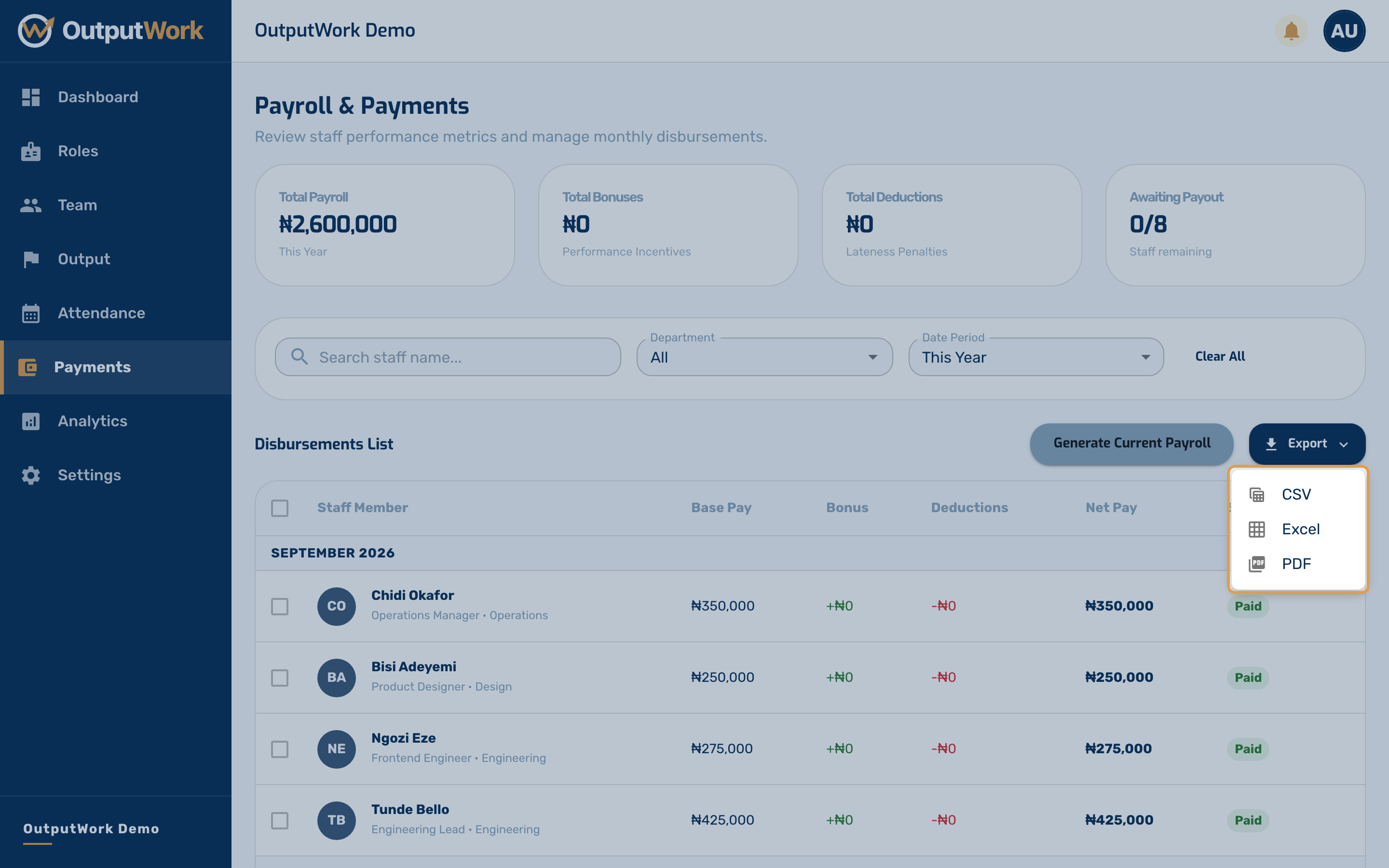
Step 2. Select your export format:
- CSV / Excel: one row per person — name, role, department, base pay, bonus, deductions, net payout, status and month — ready to prepare a bank batch payment
- PDF Report: Formatted executive summary suitable for accounting and internal records
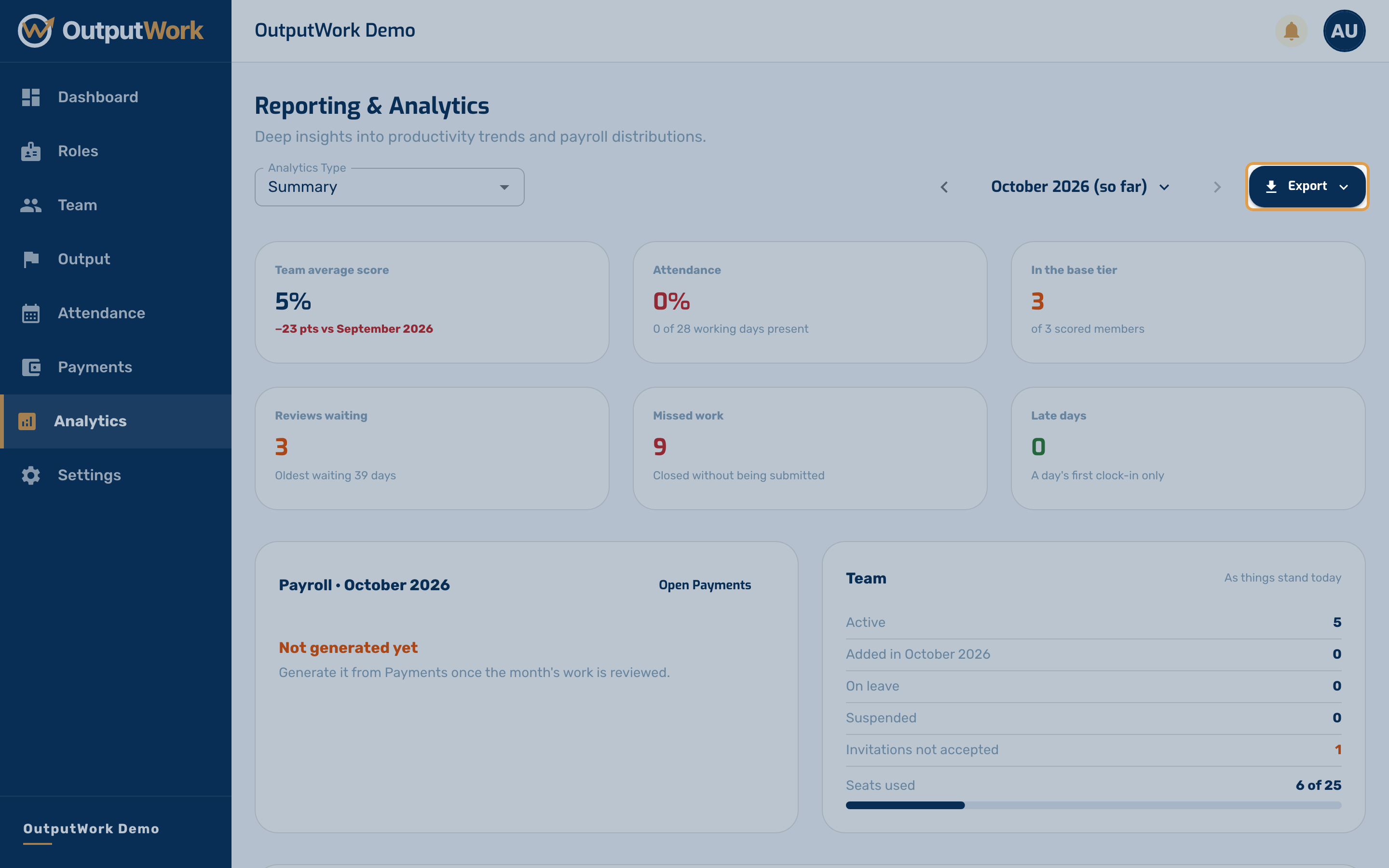
Step 3. You can also export visual analytics summaries across Performance, Attendance, and Workforce data directly from the Analytics page.