Using OutputWork on WhatsApp
Clock in, see your tasks and submit work by text, without opening the app.
Step 1. If your organization has turned WhatsApp on, you can use OutputWork by text. Two things are needed:
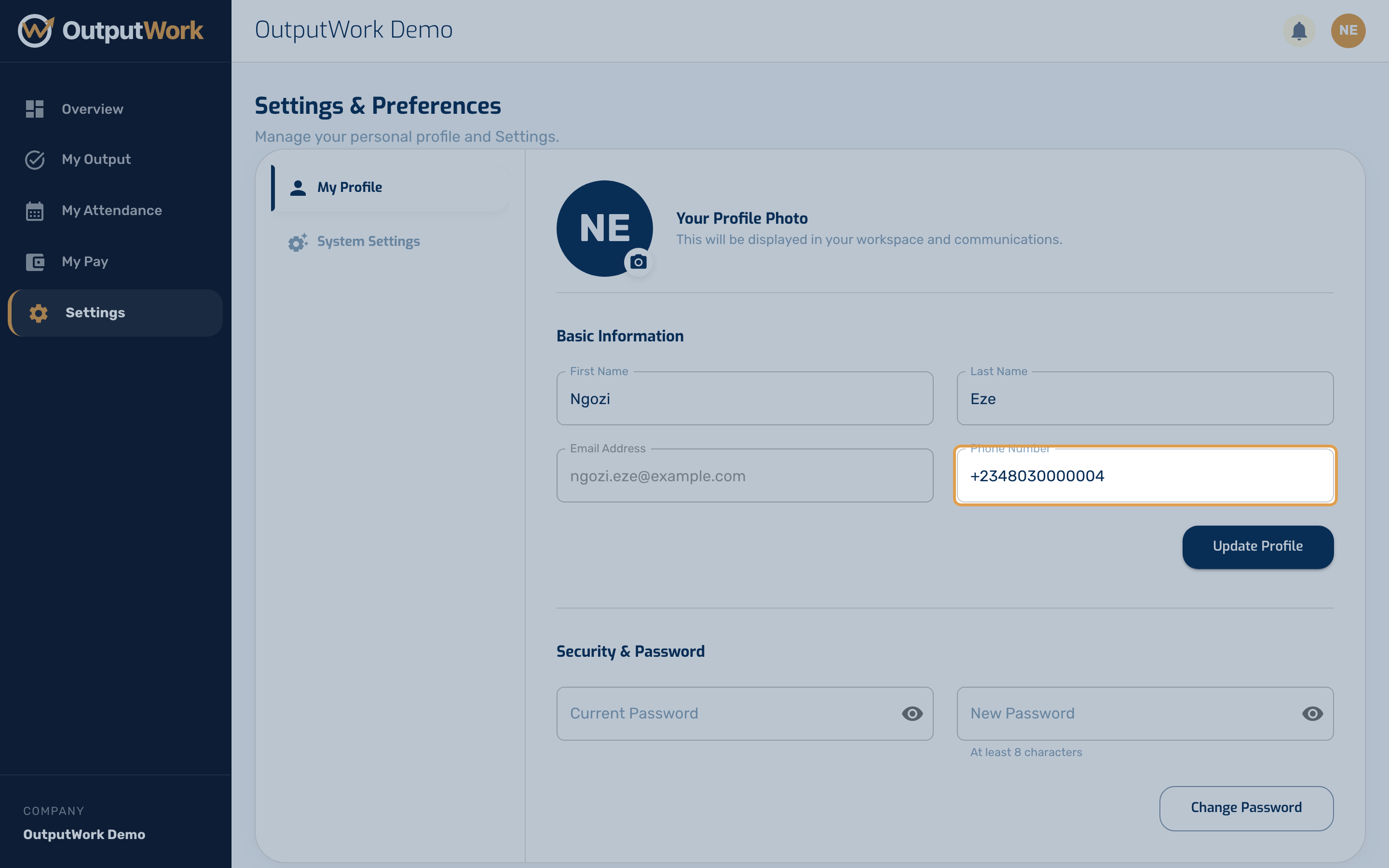
- Your number on your profile. Check Phone Number under Settings → My Profile. If your WhatsApp is on a different number, ask your admin to add it.
- Your organization's OutputWork number. It's the number your welcome message came from: save it, and text it.
Step 2. Text any of these, in capitals or not:
- START: clock in for the day. STOP: clock out, and see the hours you worked.
- TASKS: your open tasks and goals, with a Submit Tasks button. It opens a page where you submit them without signing in. The link works for a day; text TASKS again for a fresh one.
- DONE: submit a task by text. OutputWork replies with a numbered list of your open tasks; reply with the number.
- STATUS: your score and pay tier this month. MY PAY: your projected pay, if your organization shows staff their pay.
- PROFILE: your account details. HELP: this list.
Step 3. Good to know:
- DONE submits a task as fully done: a quantity task at its whole target. To report a different number, use the TASKS link or My Output.
- A task that is reviewed only if you ask is approved straight away when you submit it with DONE: there's no way to ask for review by text. Use My Output if you want it checked.
- If more than one person uses your phone number, OutputWork asks which of you is texting, with a numbered list, and remembers your answer for a while.
- If OutputWork replies that your number isn't registered, ask your manager to add it to your profile.
Troubleshooting WhatsApp
- 24-Hour Messaging Window: Meta restricts WhatsApp communication after 24 hours of user inactivity. If the bot stops responding, text TASKS or HELP to reopen the conversation window.
- "This link has expired" (TOKEN_EXPIRED): WhatsApp task submission links expire after 24 hours for security. Text TASKS on WhatsApp to receive a fresh magic link.
- Phone Number Format: Ensure phone numbers include the international country code (e.g. +234...) without leading zeros.