Viewing Your Pay
See what you have earned and how your performance affects it.
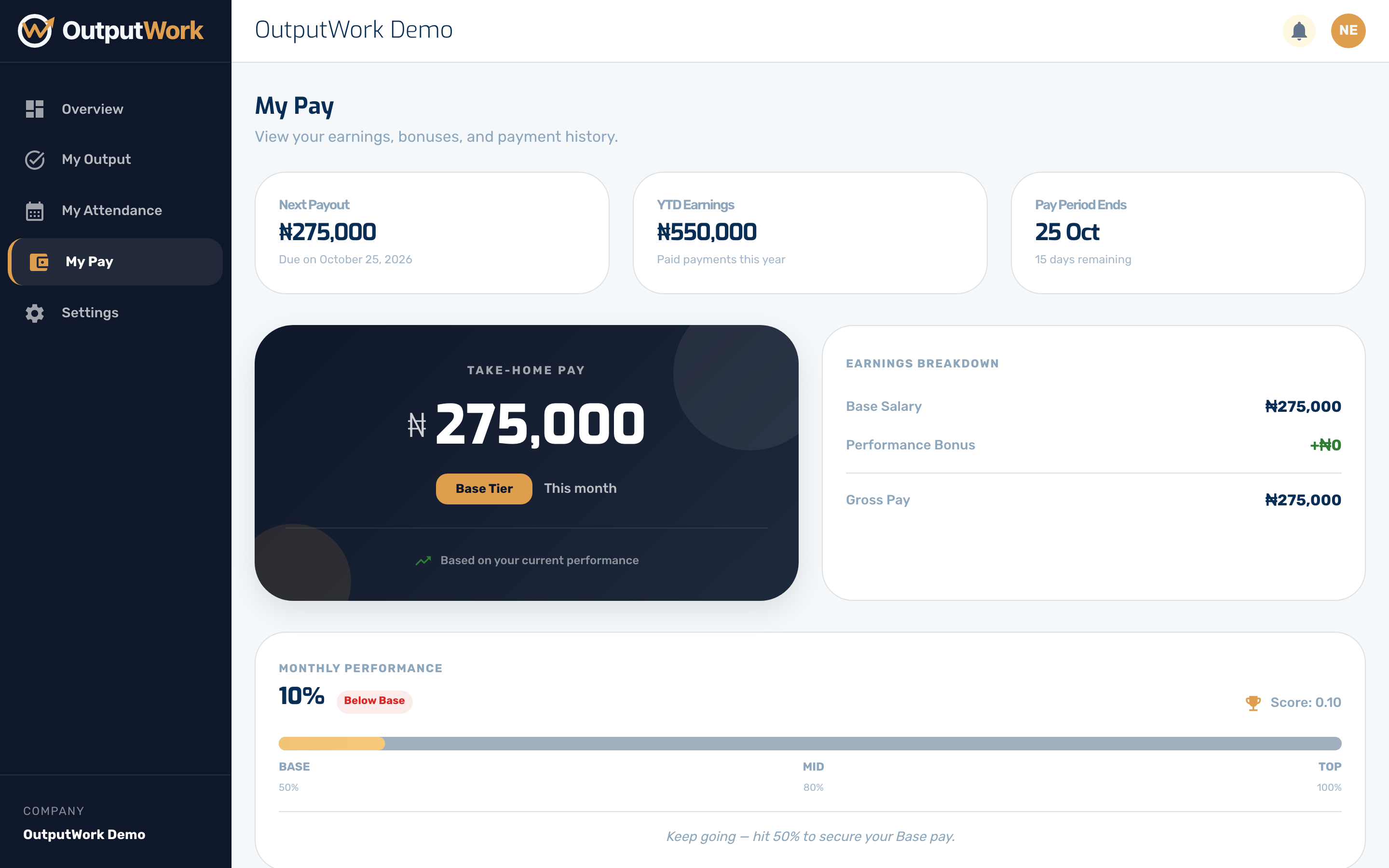
Step 1. My Pay is your own earnings, broken down. The cards at the top show your Next Payout, what you have earned this year, and when the pay period ends. Take-Home Pay shows the Tier your current score puts you in, and the Earnings Breakdown beside it shows your Base Salary, any Performance Bonus that earns you, and your Gross Pay.
If your organization deducts for lateness, the breakdown also shows a Lateness line: how many days you clocked in late this month, what each one costs, and the total. Only a day's first clock-in counts. If you don't see the line, your organization doesn't deduct for lateness.
If your organization has linked pay to performance, the tier is the part to watch — the guide's Submitting Your Work page explains what moves it.
Don't see My Pay in the sidebar? Your organization has chosen not to show staff their pay.
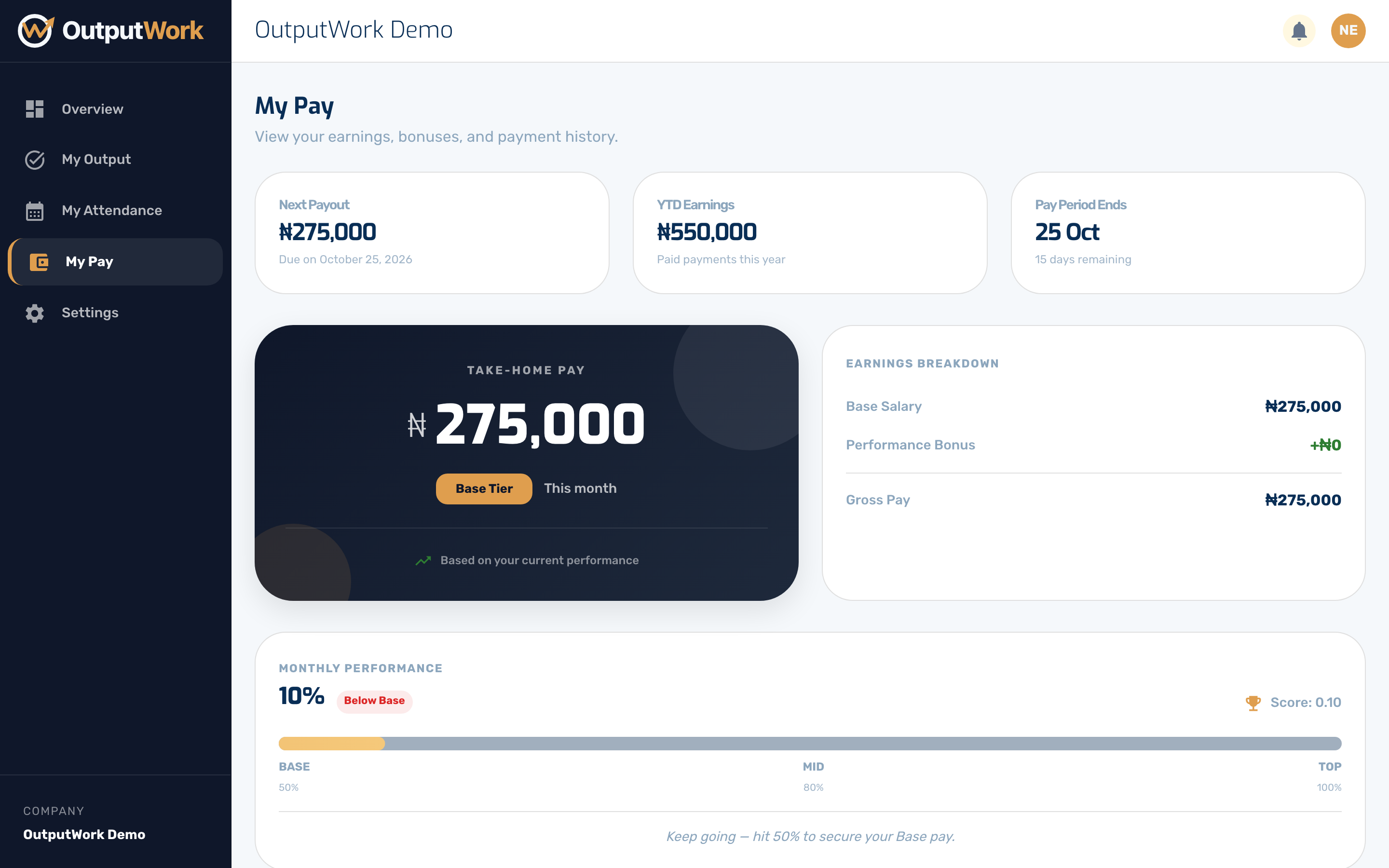
Step 2. Below that is your payment history — every period you have been paid for, what it came to, and when it went out. A payment appears here as Paid only once your organization has actually sent it; before that you may see it marked as awaiting payout.
If something here looks wrong, the person to ask is whoever runs payroll in your organization — pay is calculated from your approved work and your attendance, both of which you can check yourself under My Output and My Attendance.