Your Daily Overview
What you see when you sign in as a team member.
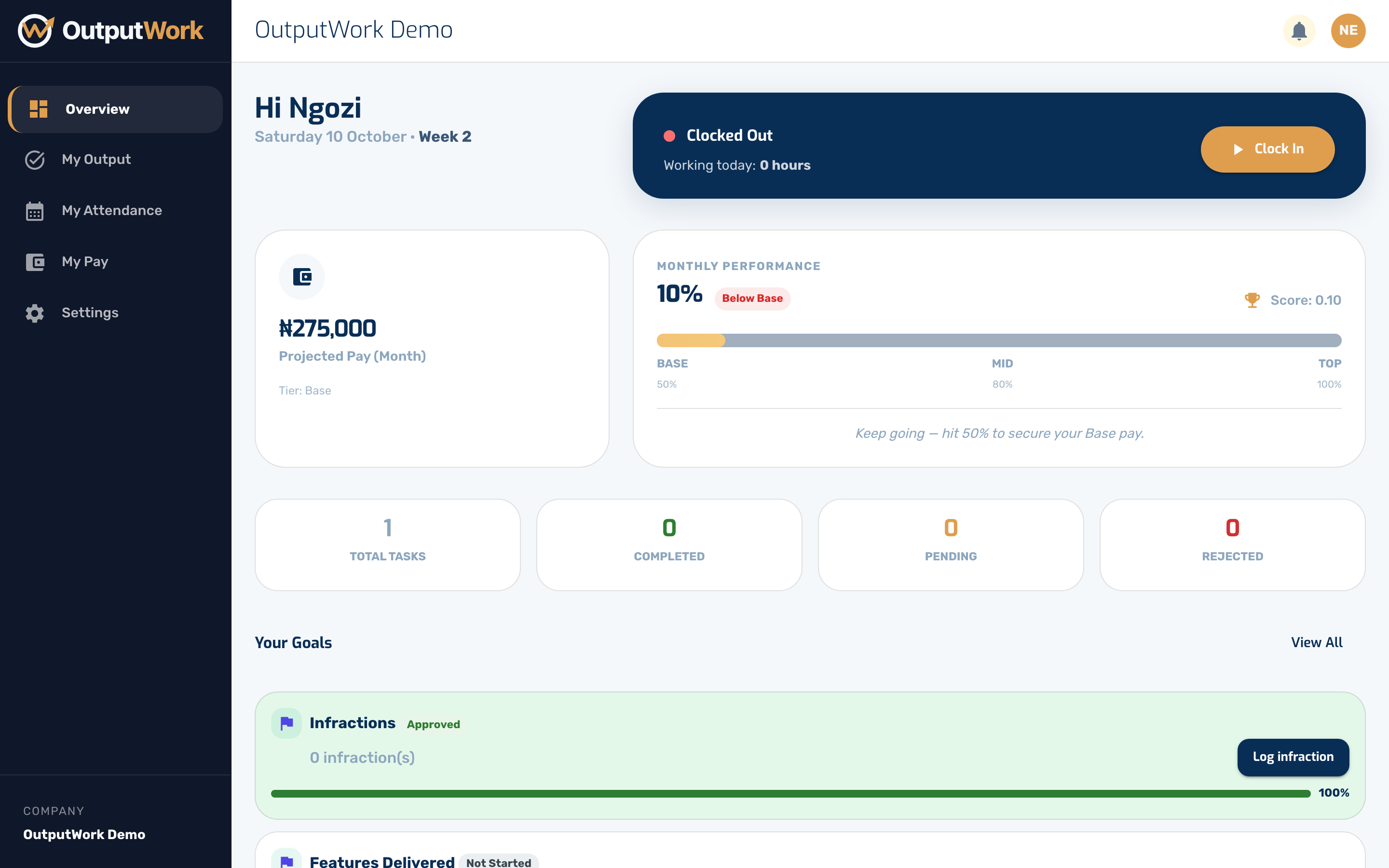
Step 1. Signing in as a team member takes you to Overview — your tasks and goals for the period, your attendance for today, and how your pay is tracking.
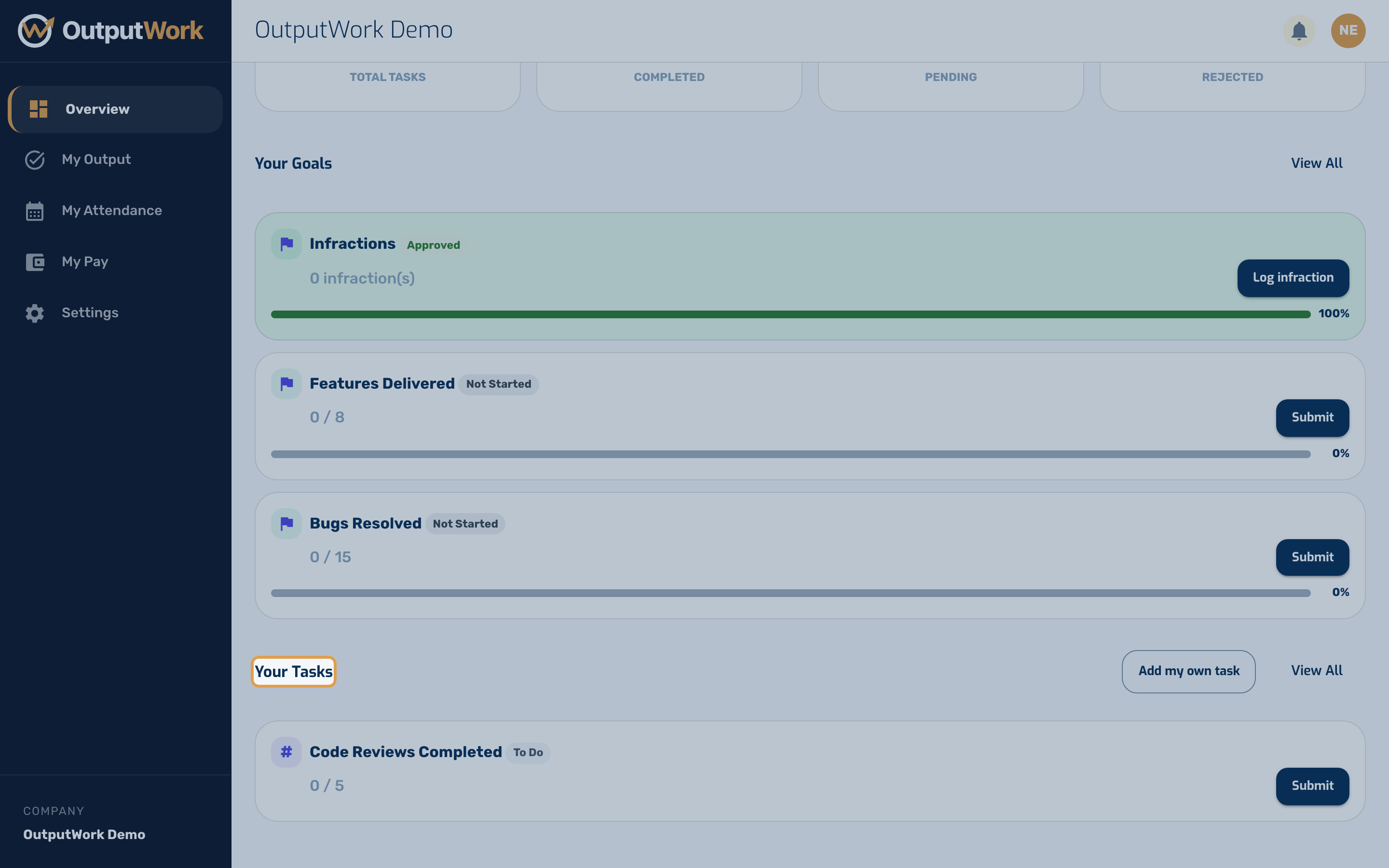
Step 2. Your Tasks lists what is expected of you right now. Tasks appear here automatically, generated from the templates attached to your role — you do not have to create them.
Step 3. Performance Score & Indicator: Your Overview dashboard features the Performance Indicator card, showing your live overall performance score percentage, your current pay tier, and how many submitted tasks are awaiting manager review. You can also monitor your score and see how it impacts your take-home pay in My Pay, or text STATUS on WhatsApp to check your current score anytime.